One-Click github.dev Attack Lets Malicious Repos Steal Full GitHub Tokens

One-Click github.dev Attack Lets Malicious Repos Steal Full GitHub Tokens | 2026
Executive Summary
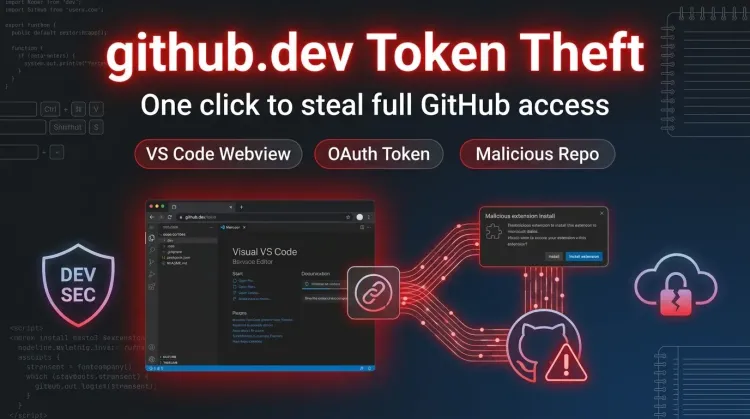
Security researcher Ammar Askar disclosed a one-click attack against github.dev, GitHub's browser-based VS Code experience, that can steal a user's full GitHub OAuth token through a malicious repository. According to the research, the bug sits in VS Code's webview event handling and can be abused to install an attacker-controlled extension, which then reads the victim's GitHub token and queries repositories the victim can access, including private ones.
The critical point is scope. Askar says the token passed from github.com to github.dev is not limited to the repository the user opened. It grants access across other repositories the user can reach. That turns a single malicious repository visit into a broader Credential Theft and source exposure problem for individual developers, maintainers, and enterprise engineering teams.
What happened?
GitHub's github.dev feature opens repositories inside a lightweight browser-hosted VS Code environment. To make editing and pull requests work, github.com posts an OAuth token to github.dev so the web app can act on the user's behalf.
Askar's report says the problem is in how VS Code webviews bubble keyboard events back to the host application. Webviews are supposed to isolate untrusted content, but the implementation allowed JavaScript running inside the untrusted webview to emit keydown events that the main VS Code window treated as if they were genuine user inputs.
That breaks a core Access Control assumption. Instead of only rendering attacker-controlled content inside a sandbox, the malicious content can drive trusted UI actions in the host editor.
Attack chain
Askar's proof of concept uses a crafted repository containing:
- a malicious Jupyter notebook
- a recommended extension entry in
.vscode/extensions.json - a local workspace extension that contributes a custom keybinding
The reported chain works like this:
- the victim clicks a
github.devlink to the malicious repository - the Jupyter notebook renders attacker-controlled HTML/JavaScript inside a webview
- that script emits synthetic keyboard events to the main VS Code window
- the first shortcut accepts the notification to install the recommended extension
- the installed local extension adds a custom keybinding
- a second synthetic shortcut triggers installation of an attacker-controlled extension while skipping publisher trust
- the malicious extension reads the GitHub OAuth token and uses it to enumerate repositories the victim can access
According to Askar, the result is not just repository browsing inside the current tab. The stolen token can read and write to repositories the user can access, including private ones. GitHub's OAuth scope documentation reinforces why the impact is broad: the repo scope provides full access to public and private repositories, while workflow also allows changes to GitHub Actions workflow files.
Why this works
The research focuses on a subtle but important boundary failure.
VS Code webviews use a separate origin to isolate untrusted content. However, for usability reasons, keyboard events inside a webview are forwarded to the main editor so shortcuts still work. Askar shows that an attacker can exploit this feature by fabricating the same events from JavaScript inside the untrusted webview.
That means the security boundary was not broken through classic XSS against the main editor window. It was bypassed through trusted message-handling behavior that gave untrusted content a way to drive privileged editor actions.
Affected scope
The primary attack surface described in the report is github.dev in the browser. The one-click aspect comes from sending a victim directly to a malicious repository page hosted in the web editor.
Askar also notes the vulnerability affects the desktop version of VS Code, although exploitation there is harder because the attacker must convince the victim to clone a crafted repository and open the malicious notebook locally.
The report adds two important conditions:
- if the user has never used
github.devbefore and has cleared site data, an initial dialog may provide a chance to back out - if the user has already passed that initial experience and local site data remains, the attack path becomes much easier to trigger from a simple link
Why this matters
This issue is not just another malicious extension story. It demonstrates how developer tooling can turn UI trust decisions into credential exposure.
Three points matter most:
1. The token scope is broader than one repo
Askar explicitly says the OAuth token used by github.dev is not scoped only to the repository the victim opened. That significantly raises blast radius.
2. The attacker can pivot from content to capability
The initial foothold is attacker-controlled content inside a notebook preview. The end state is an installed extension running with much stronger capabilities inside the editor environment.
3. Developer workflow is the attack surface
This is a direct reminder that Developer Security is not only about build pipelines and package registries. Browser-based IDEs, extension flows, and trust prompts are equally important control points.
Defender takeaways
Review exposure to github.dev immediately
Organizations that allow broad use of github.dev should treat this as an active browser-side developer tooling risk, especially for users with access to private repositories or sensitive internal source code.
Clear site data for github.dev
Askar specifically recommends clearing local site data for github.dev so the initial dialog appears again and gives users a chance to stop unexpected launches.
Reduce trust in extension-driven workflows
This case shows that extension recommendations and workspace features can become part of an attack chain. Engineering teams should review where extension installation is allowed and how much autonomy browser-based tooling has.
Treat browser IDE tokens like sensitive credentials
The GitHub OAuth token handed to github.dev should be treated as a high-value secret. Monitoring and response plans should assume that browser-hosted developer environments can become token theft targets.
Immediate actions for defenders
🔴 Immediate actions (0-24h)
- warn developers not to open untrusted repositories directly in
github.dev - clear local site data for
github.devon high-value developer systems and shared browsers - review whether extension recommendations or workspace-based extension installs are permitted in your developer environment
- identify users with broad private repository access who regularly use browser-based IDE workflows
🟠 Near-term hardening (24-72h)
- tighten policies around extension installation in VS Code and web-based development environments
- review GitHub OAuth token exposure and revocation procedures for developer accounts
- add detections for suspicious repository access or API activity immediately after unusual
github.devlaunches - audit internal guidance so developers understand the difference between browsing a repository and launching a full editor session
🟡 Longer-term controls (1-4 weeks)
- incorporate browser IDE attack paths into developer workstation threat modeling
- minimize token scope and repository access where possible
- treat webviews, notebooks, and extension workflows as privileged security boundaries during tool evaluation
- build incident response procedures for stolen developer Authentication Tokens, not just password compromise
Strategic analysis
The strongest lesson here is that developer tools now blend browser application complexity, extension ecosystems, and privileged identity tokens in one place. That combination creates failure modes that look like UI bugs but have the impact of secret theft.
Askar's write-up also shows why "it's just a browser editor" is the wrong security model. Once a browser-hosted tool can install extensions, access repositories, and act on behalf of a logged-in developer, its trust boundaries deserve the same scrutiny as a desktop IDE or privileged enterprise app.
References
FAQ
Written by
Lucas Oliveira
Research
A DevOps engineer and cybersecurity enthusiast with a passion for uncovering the latest in zero-day exploits, automation, and emerging tech. I write to share real-world insights from the trenches of IT and security, aiming to make complex topics more accessible and actionable. Whether I’m building tools, tracking threat actors, or experimenting with AI workflows, I’m always exploring new ways to stay one step ahead in today’s fast-moving digital landscape.
Hot TopicsLast 7 days
Categories
Stay Updated
Get the latest cybersecurity insights delivered to your inbox.